(Only users with Broadcast Permission can access this function)
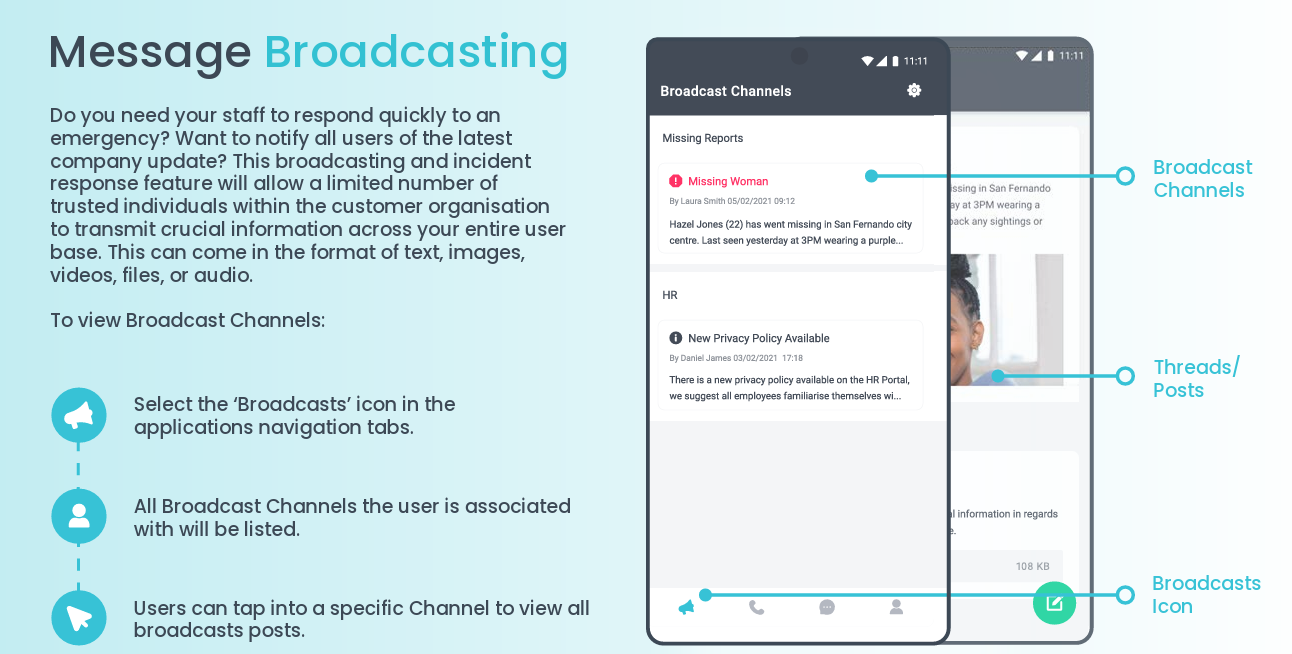
1. Select the mega-phone icon at the bottom far-left of the screen to view Broadcast Channels
2. Select desired Broadcast Channel
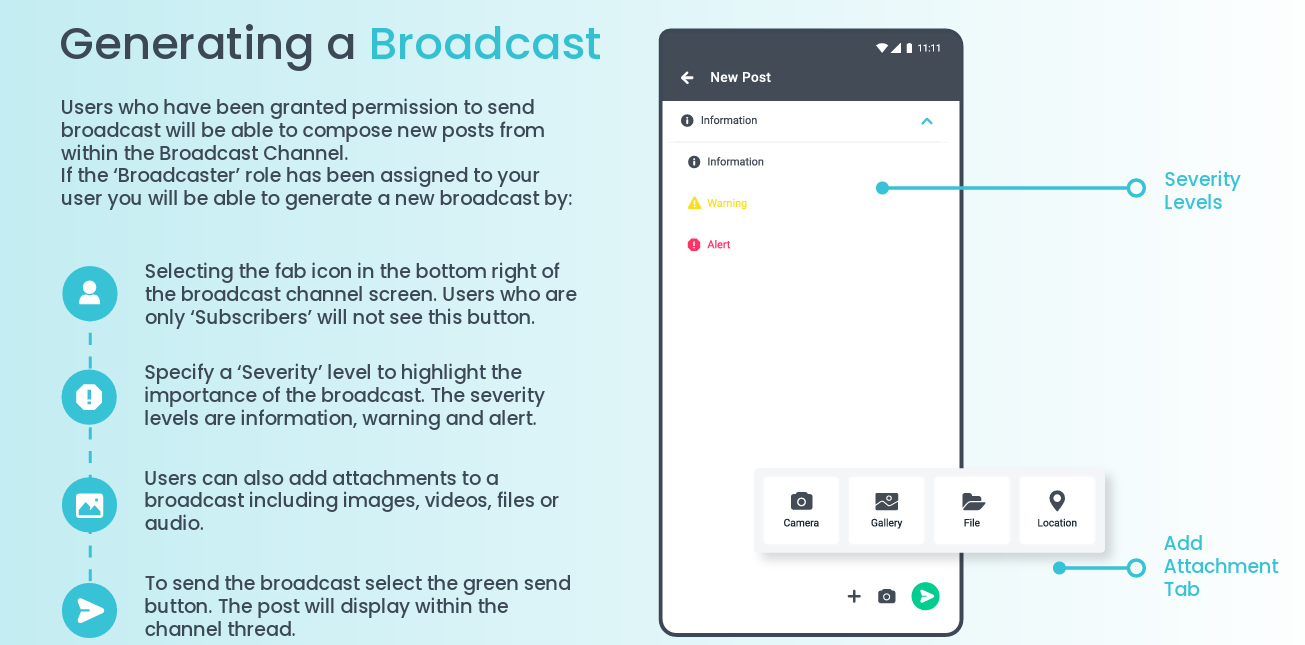
3. Press green create button at bottom-right of broadcast channel screen
4. Choose severity level of broadcast
5. If desired, add video, image, audio or file attachments to broadcast
6. Send broadcast by pressing green arrow button at bottom-right of screen
7. Detailed instructions as a downloadable PDF are available for your personal library at the bottom of this page.
See detailed descriptions below
Was this article helpful?
That’s Great!
Thank you for your feedback
Sorry! We couldn't be helpful
Thank you for your feedback
Feedback sent
We appreciate your effort and will try to fix the article