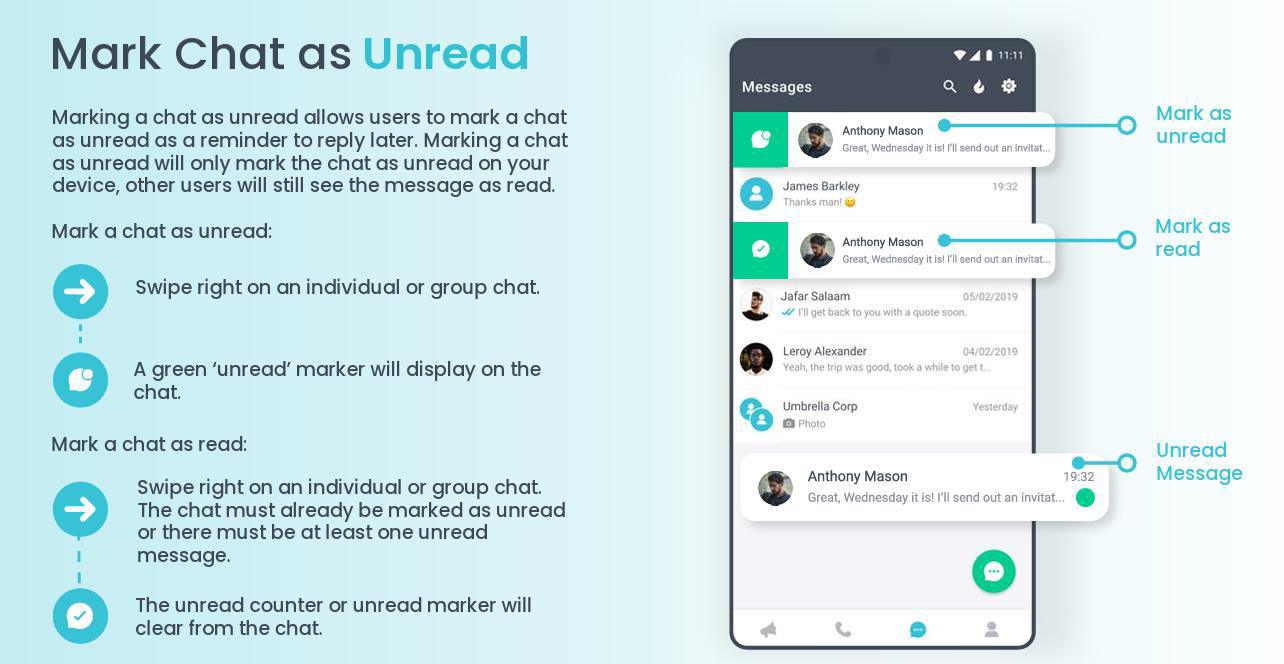
1. Swipe right on individual or group chat in Messages screen.
2. To remove unread indicator, simply open message or swipe right again.
3. Detailed instructions as a downloadable PDF are available for your personal library at the bottom of this page.
See detailed descriptions below
Was this article helpful?
That’s Great!
Thank you for your feedback
Sorry! We couldn't be helpful
Thank you for your feedback
Feedback sent
We appreciate your effort and will try to fix the article