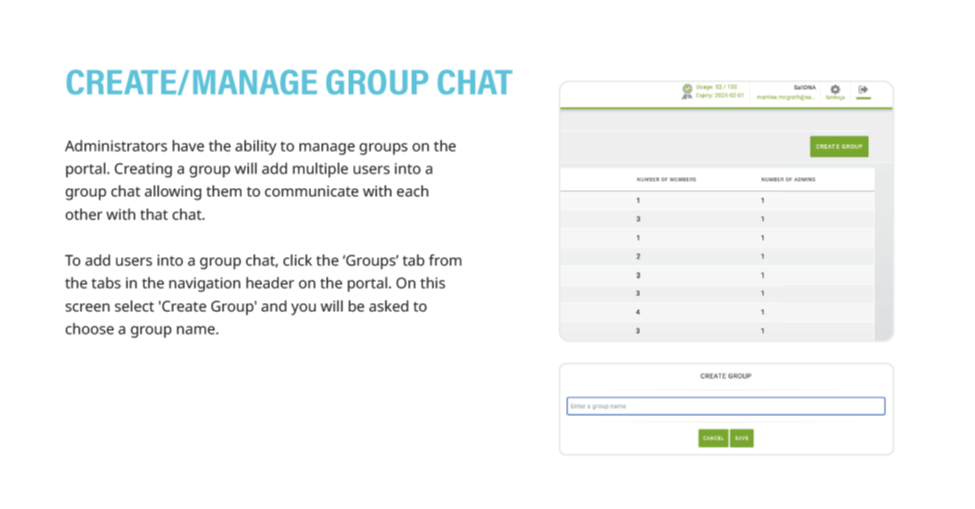
1. Click the 'Groups' tab in the navigation header
2. Click 'Create Groups' and name your group in the space provided
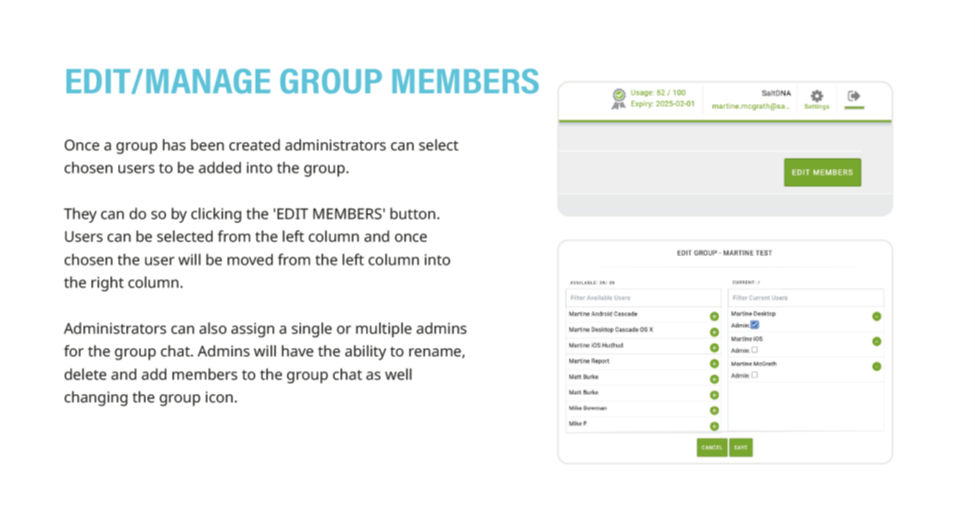
3. Click 'Edit Members' and select members to add from the left collum
4. If desired, one or multiple users can be granted 'Group Administrator' status, which will enable them to add or removed other members from the group, and change the group name or group icon
5. Detailed instructions as a downloadable PDF are available for your personal library at the bottom of this page
Was this article helpful?
That’s Great!
Thank you for your feedback
Sorry! We couldn't be helpful
Thank you for your feedback
Feedback sent
We appreciate your effort and will try to fix the article