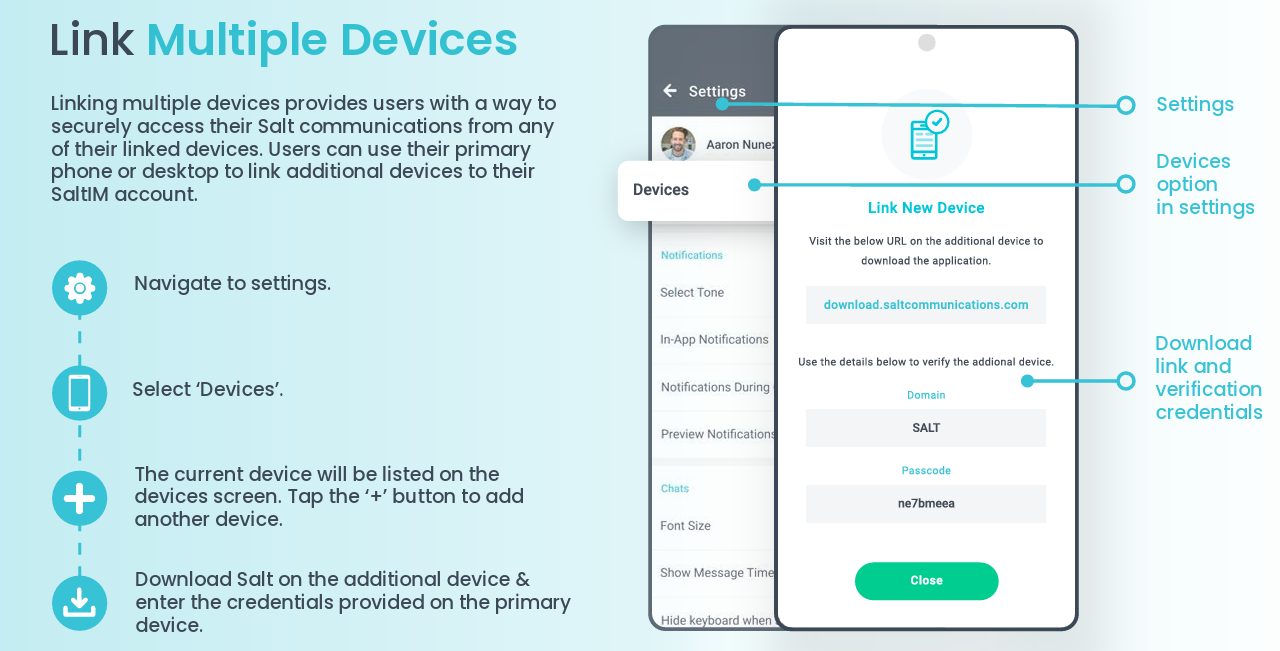
1. Enter Settings by selecting the Gear icon at the top-right of the Home screen
2. Select "Devices"
3. Select + to add an another device
4. Download Salt on the additional device and enter credentials provided to the original/primary device
5. Detailed instructions as a downloadable PDF are available for your personal library at the bottom of this page.
See detailed descriptions below
Was this article helpful?
That’s Great!
Thank you for your feedback
Sorry! We couldn't be helpful
Thank you for your feedback
Feedback sent
We appreciate your effort and will try to fix the article