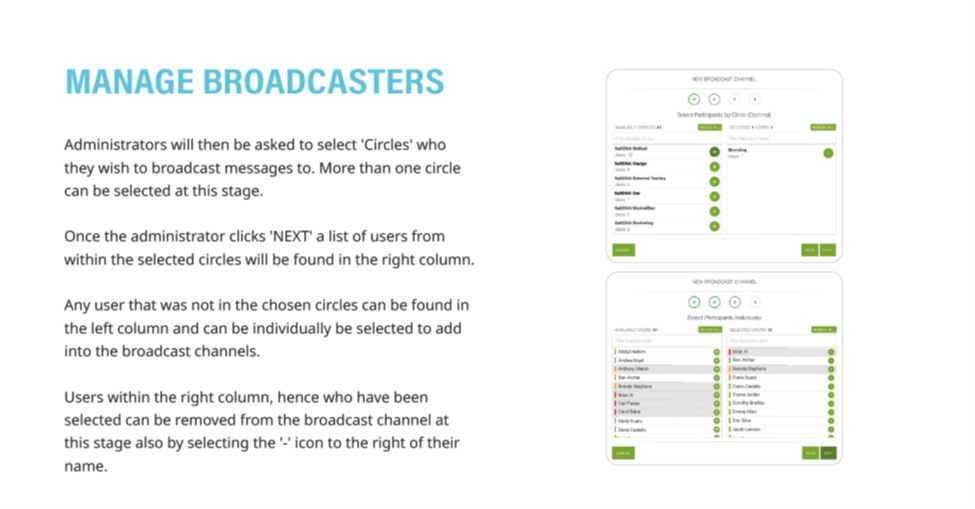
1. After Creating a Broadcast Channel (see 'Create Broadcast Channel'), administrators will select which Circles they wish to receive Broadcasts
2. Once one or multiple circles have been selected, their users will appear in the right-hand column to receive Broadcasts
3. If desired, individual users outside of Circles selected to receive broadcast can also be added to the right-hand column. Users from selected Circles can also be removed individually from the right-hand column.
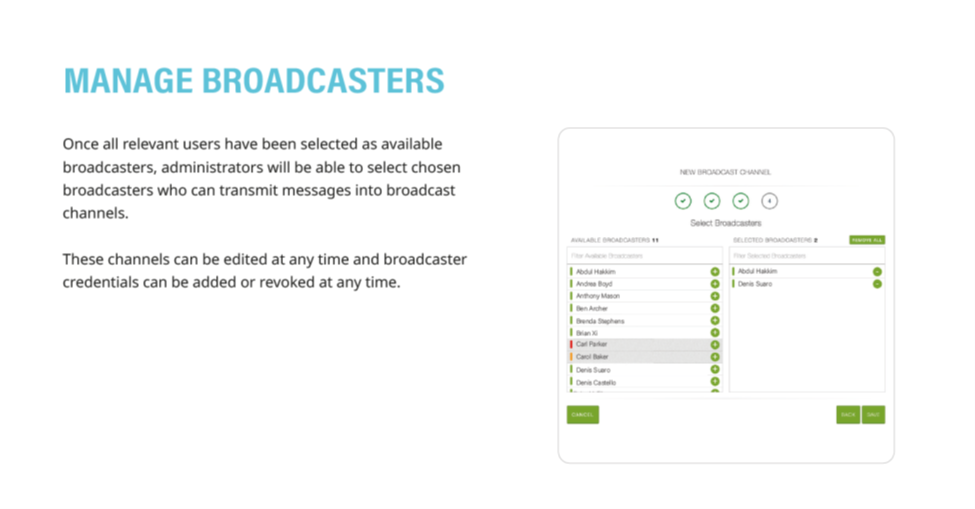
4. Once all users have been selected, Portal Administrators can assign Broadcast privileges to individual users on the Broadcast Channel
5. The Channel, its users, and individual Broadcast capability can all be edited at any time.
6. Detailed instructions as a downloadable PDF are available for your personal library at the bottom of this page
Was this article helpful?
That’s Great!
Thank you for your feedback
Sorry! We couldn't be helpful
Thank you for your feedback
Feedback sent
We appreciate your effort and will try to fix the article